Mobile app development is the work of designing, building, testing and publishing software for phones and tablets, usually for both iOS and Android, along with the backend services the app depends on. Here is how it works from a business’s point of view.
This guide is for business owners and managers planning an app for their customers or their team. It covers the decisions to make before development starts, how a project runs from the first release to the app stores, what affects time and cost, and what to ask a development partner. The examples come from apps we designed and built at Vorbulla.
What a mobile app project includes
An app is more than the screens people tap. Most projects have six parts, and a proposal should say who handles each one.
- User flows and interface design. The tasks people need to complete, the screens for each task, and a clickable prototype to review before anyone writes code.
- The app itself. The iOS and Android versions, built from a shared codebase or separately.
- Backend and APIs. Logins, data, payments and the connections to your existing systems. Some apps can use what you already have; many need a new API or admin tools.
- Device testing. Checking the app on the phones, tablets and OS versions your users actually have.
- Store submission. The App Store and Google Play listings, screenshots, privacy details and review.
- Support after release. Fixes, compatibility updates and further releases.
The backend is the part most often missing from early estimates. If your app shows prices, stock, bookings or account details, that information has to come from somewhere, and that system has to be built or connected.
Native, cross-platform or a web app?
The first technical decision is how to build the app. There are three common routes.
Native apps
Native apps are written separately for each platform, usually in Swift for iOS and Kotlin for Android. They get new platform features first and suit apps that lean heavily on the device, such as advanced camera work, Bluetooth hardware or demanding graphics. The trade-off is two codebases to build, test and maintain.
Cross-platform apps
Cross-platform frameworks such as React Native and Flutter share most of the code between iOS and Android. For most business apps (catalogues, bookings, accounts, loyalty cards, field tools) this is the practical choice: one team and one codebase, with native code only where a feature needs it. We build cross-platform apps with React Native and Expo, and write native code where it makes a difference.
Web apps
Sometimes a fast mobile website or web app is enough. If people use it occasionally and it needs neither deep device features nor a place in the app stores, a web app avoids store review entirely and works on every phone. Jora Center’s shop, for example, works in a phone browser as well as in its app.
A simple test: if your customers would open it every week, and it holds something personal such as an account, a card or saved items, an app usually earns its place on the home screen.
The mobile app development process, step by step
Most app projects follow the same five steps. The names vary between studios; the order rarely does.
1. Scope the first release
List the tasks your users need to complete and choose the smallest set that makes the app useful. Decide the platforms, the integrations and what happens on the backend, then agree milestones and cost before development starts. A tight first release reaches users sooner and shows which features they actually use.
2. Design the flows and a prototype
Map each journey, design the screens and review a clickable prototype. Changing a prototype takes hours; changing a finished feature takes days. This is also the moment to check the design against the conventions of both platforms.
3. Build and test
Develop the agreed features, connect the backend and test on real devices. Good testing covers the devices and OS versions in scope, slow and dropped connections, and what happens when someone signs out, switches phones or updates the app.
4. Submit to the App Store and Google Play
Prepare the store listings: name, description, screenshots, privacy information and age rating. Apple reviews every submission, usually within a day or two, and Google’s review can take a few days, longer for new developer accounts. Publish under store accounts in your organisation’s name, so the app, its ratings and its reviews stay yours.
5. Support the app and plan the next release
After launch, watch crash reports and store reviews, fix what comes up, and plan the next release around what people actually do in the app.
How long does it take to develop a mobile app?
For a focused first release, we usually need one to two months from agreed scope to store submission. That covers design, development, testing and the store listings for an app with a clear set of tasks and an existing or straightforward backend.
Projects take longer when they include:
- a new backend or admin tools built alongside the app
- several user roles, such as customers, staff and managers
- integrations with payment providers, ERPs, booking systems or hardware
- content and translations that are still being written
- sign-off from several people on your side
Store review adds a few days at the end. If the launch is tied to a campaign or an event, plan the date with that margin.
What drives the cost of a mobile app
Every app is priced from its scope, so the useful question is not how much an app costs but what makes this one cost more or less. These are the main factors:
- Features and screens. Each user task adds design, development and testing.
- Platforms. iOS and Android from a shared codebase cost less than two native apps, but each platform still needs its own testing and store work.
- Backend work. Reusing an existing API costs less than building a new backend and admin tools.
- Integrations. Payments, maps, logins, loyalty systems and ERPs each add work, and some add monthly fees.
- Design depth. A custom interface with motion costs more than a clean design built from standard components.
- Device coverage. The more phones, tablets and OS versions in scope, the more testing.
Some costs sit outside the development budget:
- the Apple Developer Program, US$99 a year
- a Google Play developer account, a one-time US$25 registration
- hosting for the backend, and subscriptions for services such as maps, email or analytics
- maintenance after release (see below)
A good proposal lists these separately, so you can compare quotes on the same basis. Ours do.
Two apps we built, and what they needed
Domino Real Estate: one API for a website, an app and a CRM
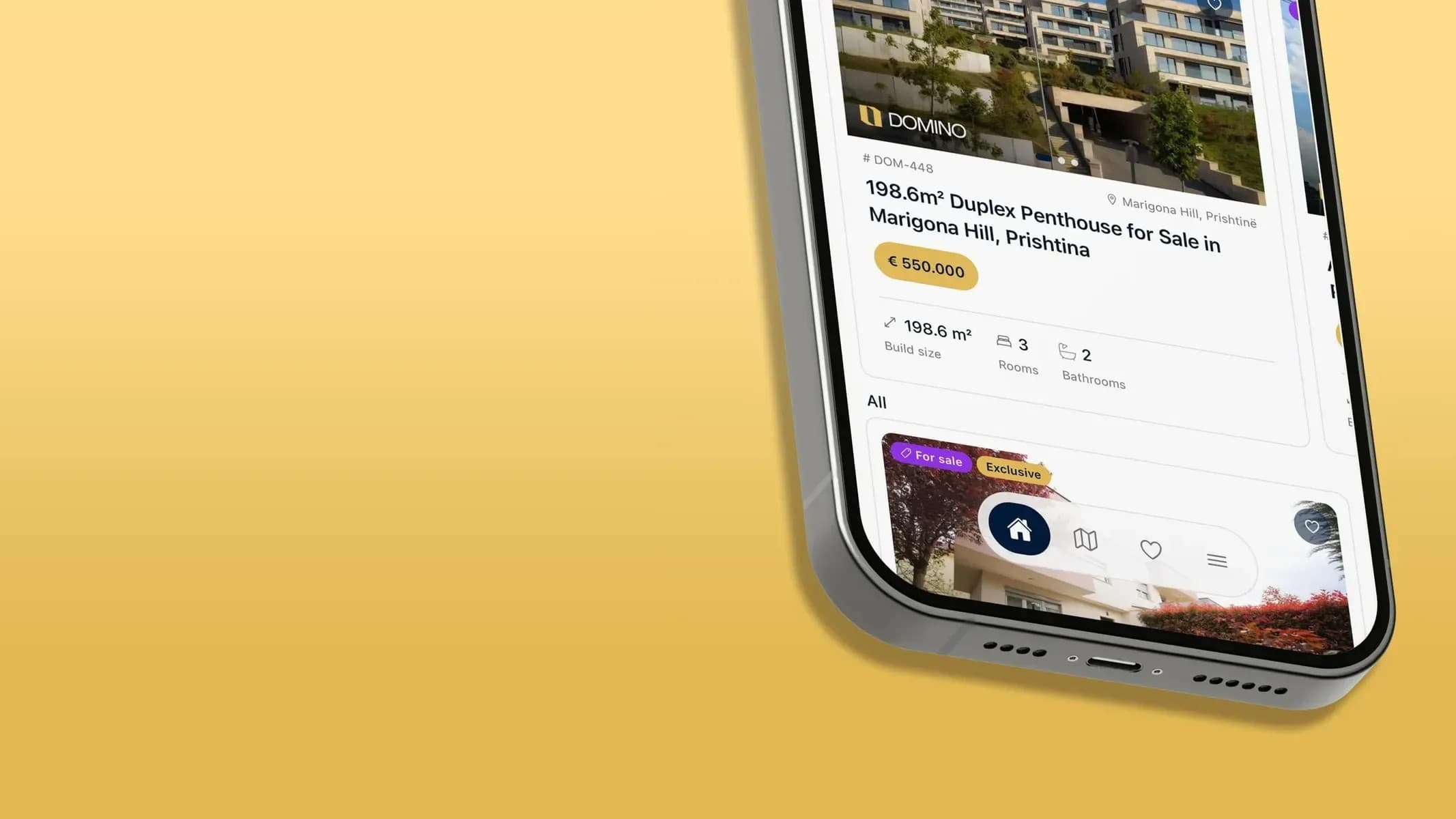
Domino Real Estate needed three things at once: a website for buyers, an app for clients and a CRM for agents, all working from the same listings and leads. We designed and built all three on one API. The iOS app puts every listing, the map and saved homes on the client’s phone, with a direct line to the agent, and website enquiries are assigned automatically and land on the agent’s phone. Android is coming next.
The lesson: decide early where your data lives. Because every surface reads from the same API, the website, the app and the CRM always show the same listings and leads, and adding Android does not mean building a second backend.
Read the Domino Real Estate case study
Jora Center: a membership card and a shop in one app
Jora Center is a retail chain in Kosovo selling everything from kitchenware to electronics across several stores. Customers wanted one place to browse the range and see the offers. We designed and built the online shop and a mobile app for iOS and Android, with one account for both. The membership card sits on the app’s home screen with its barcode, so members always have it with them, and the shop works the same in a phone browser.
The lesson: give people a reason to open the app every week. Here it is the card; for another business it might be bookings, orders or account status.
Read the Jora Center case study
After launch: maintenance and updates
An app is never quite finished. Apple and Google release a new major version of iOS and Android every year, and both stores expect apps to keep up with recent versions before they accept updates. The libraries and services an app depends on change too, and store rules on privacy and payments are revised regularly.
Plan for:
- compatibility updates for each new iOS and Android version
- security and dependency updates
- monitoring of crashes and performance
- small fixes and improvements between larger releases
We cover this with a separate support agreement, which can include issue response and further releases.
How to choose a mobile app development company
Portfolios show what a team can make. These questions show how it works:
- Who owns the code and the store accounts? You should. Ask for the source code at handover and for the app to be published under your organisation’s accounts.
- What is in the backend scope? Ask which APIs, admin tools and third-party services are included, and who maintains them.
- Which devices and OS versions will be tested? “All devices” is not an answer.
- Who designs and who builds? Handovers between separate design and development teams are where details get lost.
- What happens after launch? Ask about support terms, response times and how further releases are priced.
- Can we speak to a recent client? A client will tell you more than a case study.
If the team is in another country, add one more: how will you work together day to day? Agree the language, the meeting rhythm and your main contact before the project starts. Our team works in English, German and Albanian.
Frequently asked questions
How much does it cost to build a mobile app?
It depends on the features, platforms, backend work and integrations in the first release. We review those, then propose a schedule and budget. Store fees, hosting and subscriptions are listed separately.
Can one app work on both iOS and Android?
Yes. A cross-platform framework such as React Native shares most of the code between both platforms, with platform-specific work and testing where a feature needs it.
Do I need a backend for my app?
Usually. If the app shows accounts, prices, stock, bookings or anything else that changes, it needs a backend. Sometimes your existing system can provide it through an API; otherwise it is built as part of the project.
Who owns the app once it is built?
You should own the source code and publish the app under your own App Store and Google Play accounts. We submit releases through our clients’ accounts and hand over the code.
Can you take over an existing app?
Yes. We review the code, APIs and documentation first, so we know what can be reused and what needs to change before we estimate the work.
Planning an app?
Vorbulla is a design and development studio in Gjakovë, Kosovo, founded in 2014. We work with clients in Kosovo, Albania, Germany and Switzerland, and design and build iOS and Android apps, the backends behind them and the websites that go with them.
See how we approach mobile app development, or tell us about your app: the tasks it should support, the platforms you need and any existing backend. We’ll discuss a first release, scope and cost.